> ## Documentation Index
> Fetch the complete documentation index at: https://tigerdata-747200db-chore-custom-colored-homepage.mintlify.site/llms.txt
> Use this file to discover all available pages before exploring further.
# Integrate DBeaver with Tiger Cloud
> DBeaver is a free cross-platform database tool for developers, database administrators, analysts, and everyone working with data. Integrate DBeaver with Tiger Cloud
[DBeaver][dbeaver] is a free cross-platform database tool for developers, database administrators, analysts, and everyone working with data. DBeaver provides an SQL editor, administration features, data and schema migration, and the ability to monitor database connection sessions.
This page explains how to integrate DBeaver with your {SERVICE_LONG}.
## Prerequisites
* Download and install [DBeaver][dbeaver-downloads].
## Connect DBeaver to your {SERVICE_LONG}
To connect to {CLOUD_LONG}:
1. **Start `DBeaver`**
2. **In the toolbar, click the plug+ icon**
3. **In `Connect to a database` search for `TimescaleDB`**
4. **Select `TimescaleDB`, then click `Next`**
5. **Configure the connection**
Use your [connection details][connection-info] to add your connection settings.
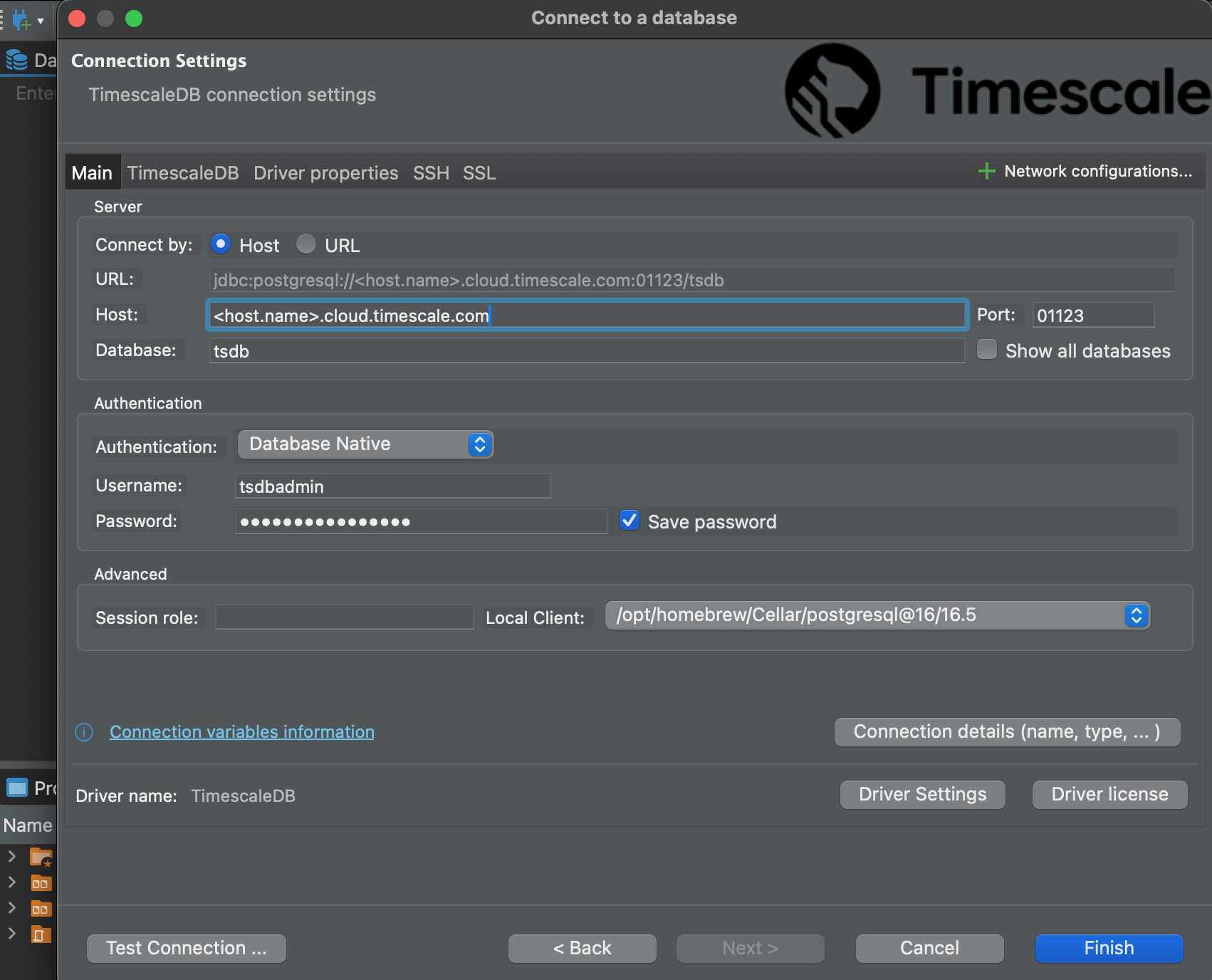
If you configured your {SERVICE_SHORT} to connect using a [stricter SSL mode][ssl-mode], in the `SSL` tab check
`Use SSL` and set `SSL mode` to the configured mode. Then, in the `CA Certificate` field type the location of the SSL
root CA certificate.
6. **Click `Test Connection`. When the connection is successful, click `Finish`**
Your connection is listed in the `Database Navigator`.
You have successfully integrated DBeaver with {CLOUD_LONG}.
[dbeaver]: https://dbeaver.io/
[dbeaver-downloads]: https://dbeaver.io/download/
[connection-info]: /integrations/:currentVersion:/find-connection-details/
[ssl-mode]: /use-timescale/:currentVersion:/security/strict-ssl/