

- Tiger Cloud
- Managed Services for TimescaleDB
Tiger Cloud is the modern Postgres data platform for all your applications. It enhances Postgres to handle time series, events,
real-time analytics, and vector search—all in a single database alongside transactional workloads.You get one system that handles live data ingestion, late and out-of-order updates, and low latency queries, with the performance, reliability, and scalability your app needs. Ideal for IoT, crypto, finance, SaaS, and a myriad other domains, Tiger Cloud allows you to build data-heavy, mission-critical apps while retaining the familiarity and reliability of Postgres.A Tiger Cloud service is a single optimised instance of Tiger Postgres. Tiger Postgres is Postgres extended with innovations in the database engine and cloud infrastructure to deliver speed without compromise. A Tiger Cloud service instance is 10-1000x faster at scale! A service is ideal for applications requiring strong data
consistency, complex relationships, and advanced querying capabilities. Get ACID compliance, extensive SQL support,
JSON handling, and extensibility through custom functions, data types, and extensions. To the Postgres you know and love, Tiger Postgres adds the following capabilities:
- Real-time analytics: store and query time-series data at scale for real-time analytics and other use cases. Get faster time-based queries with hypertables, continuous aggregates, and columnar storage. Save money by compressing data into the columnstore, moving cold data to low-cost bottomless storage in Amazon S3, and deleting old data with automated policies.
- AI-focused: build AI applications from start to scale. Get fast and accurate similarity search with the pgvector and pgvectorscale extensions. Create vector embeddings and perform LLM reasoning on your data with the pgai extension.
- Hybrid applications: get a full set of tools to develop applications that combine time-based data and AI.
- Create a Tiger Cloud account: register to get access to Tiger Cloud Console as a centralized point to administer and interact with your data.
- Create a Tiger Cloud service: that is, a Postgres database instance, powered by , built for production, and extended with cloud features like transparent data tiering to object storage.
- Connect to your Tiger Cloud service: to run queries, add and migrate your data from other sources.
Create a Tiger Cloud account
You create a Tiger Cloud account to manage your services and data in a centralized and efficient manner in Tiger Cloud Console. From there, you can create and delete services, run queries, manage access and billing, integrate other services, contact support, and more.- Tiger Cloud
- AWS Marketplace
You create a standalone account to manage Tiger Cloud as a separate unit in your infrastructure, which includes separate billing and invoicing.
Create a Tiger Cloud service
Now that you have an active Tiger Cloud account, you create and manage your services in Tiger Cloud Console. When you create a service, you effectively create a blank Postgres database with additional Tiger Cloud features available under your . You then add or migrate your data into this database.Connect to your service
To run queries and perform other operations, connect to your service:-
Check your service is running correctly
In Tiger Cloud Console, check that your service is marked as
Running.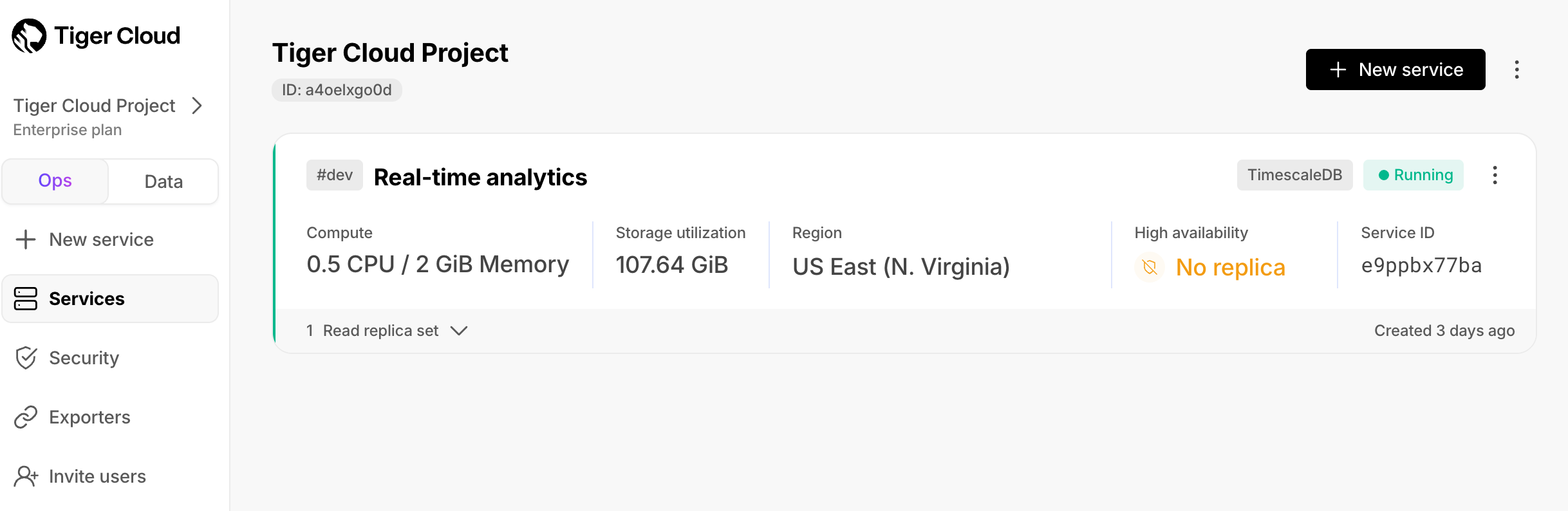
-
Connect to your service
Connect using data mode or SQL editor in Tiger Cloud Console, or psql in the command line:
- Data mode in Console
- SQL editor in Console
- psql on the command line
And that is it, you are up and running. Enjoy developing with TigerData.
- Manage your services in the ops mode in Tiger Cloud Console: add read replicas and enable high availability, compress data into the columnstore, change parameters, and so on.
- Analyze your data in the data mode in Tiger Cloud Console: write queries with autocomplete, save them in folders, share them, create charts/dashboards, and much more.
- Store configuration and security information in your config file.